
Your Discord server, run from one dashboard.
Moderation, AutoMod, logging, welcome messages and custom commands. Set up in a minute, managed from the web, no commands to memorise.
You need the Manage Server permission to add the bot.
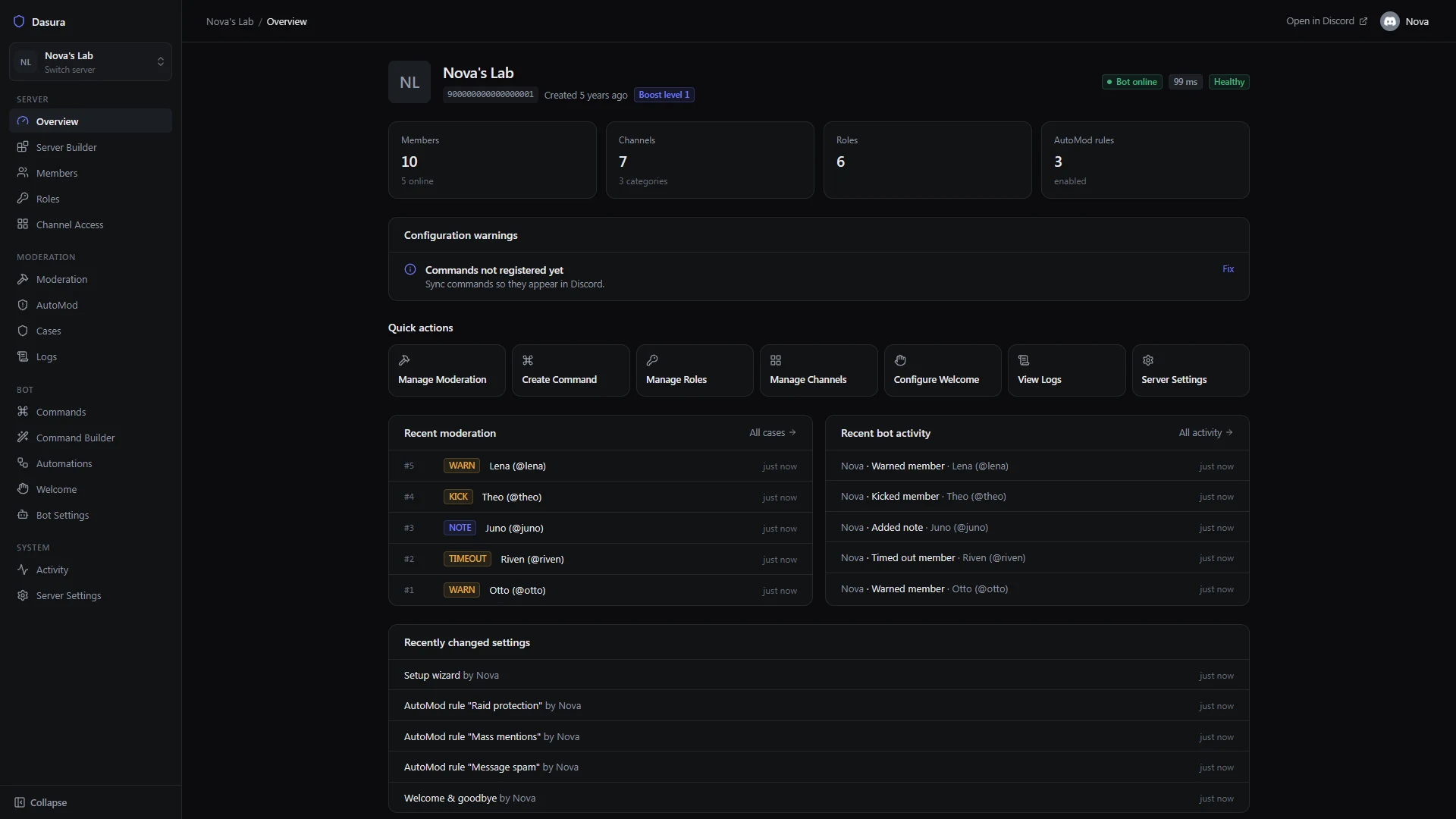
- Moderation
- AutoMod
- Logging
- Welcome
- Commands
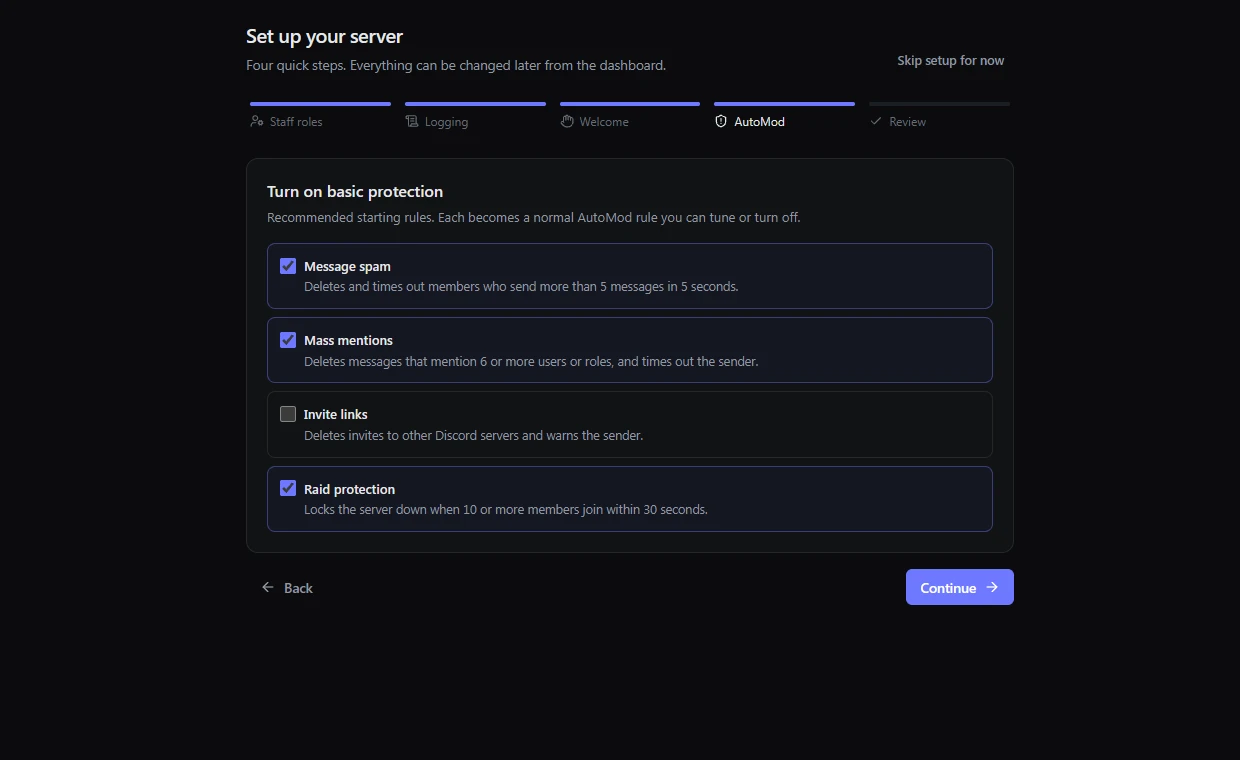
Ready in under a minute.
Add the bot and a short setup picks your staff roles, log channel and welcome channel, and turns on the protection most servers need.
- Suggests roles and channels from your server
- Creates staff roles if you don't have any
- Skip it and configure everything yourself
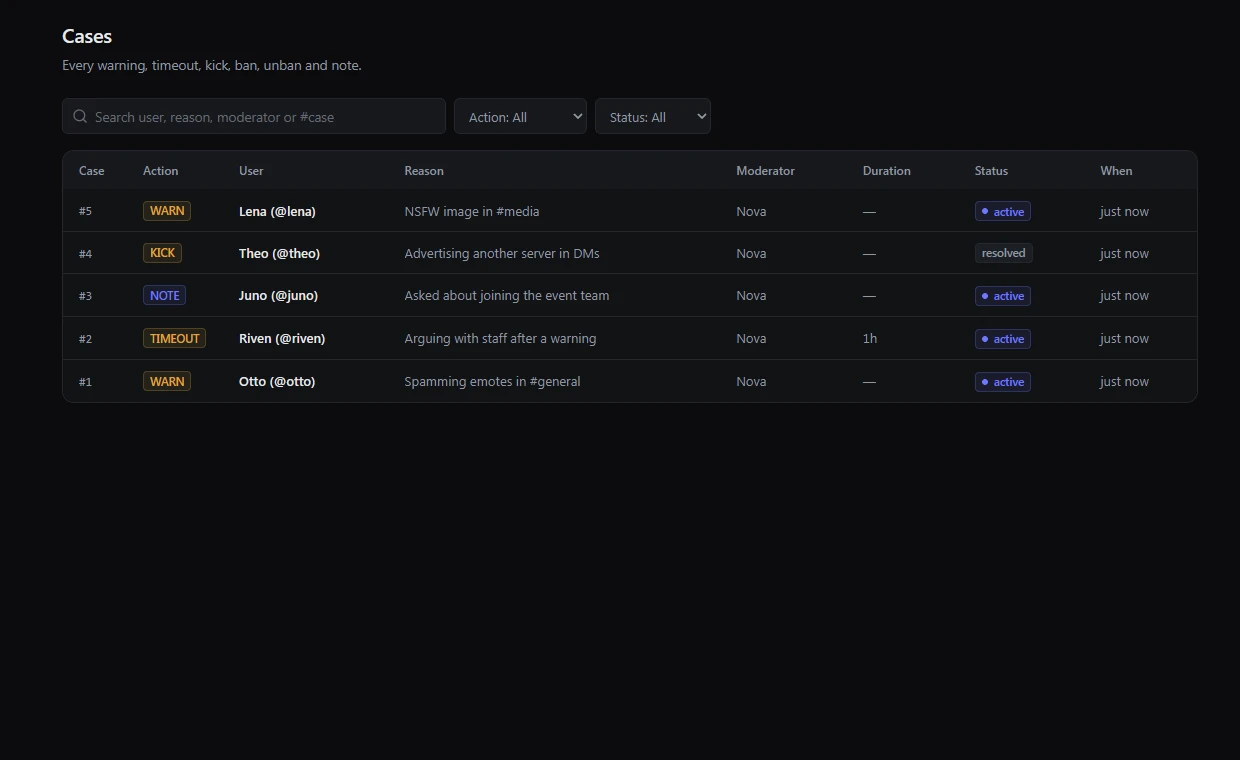
Every action, on the record.
Warn, time out, kick or ban from Discord or the dashboard. Each action becomes a numbered case you can search, update and review later.
- Temporary bans that lift themselves
- Mod notes and evidence on every case
- Checks the role hierarchy before acting
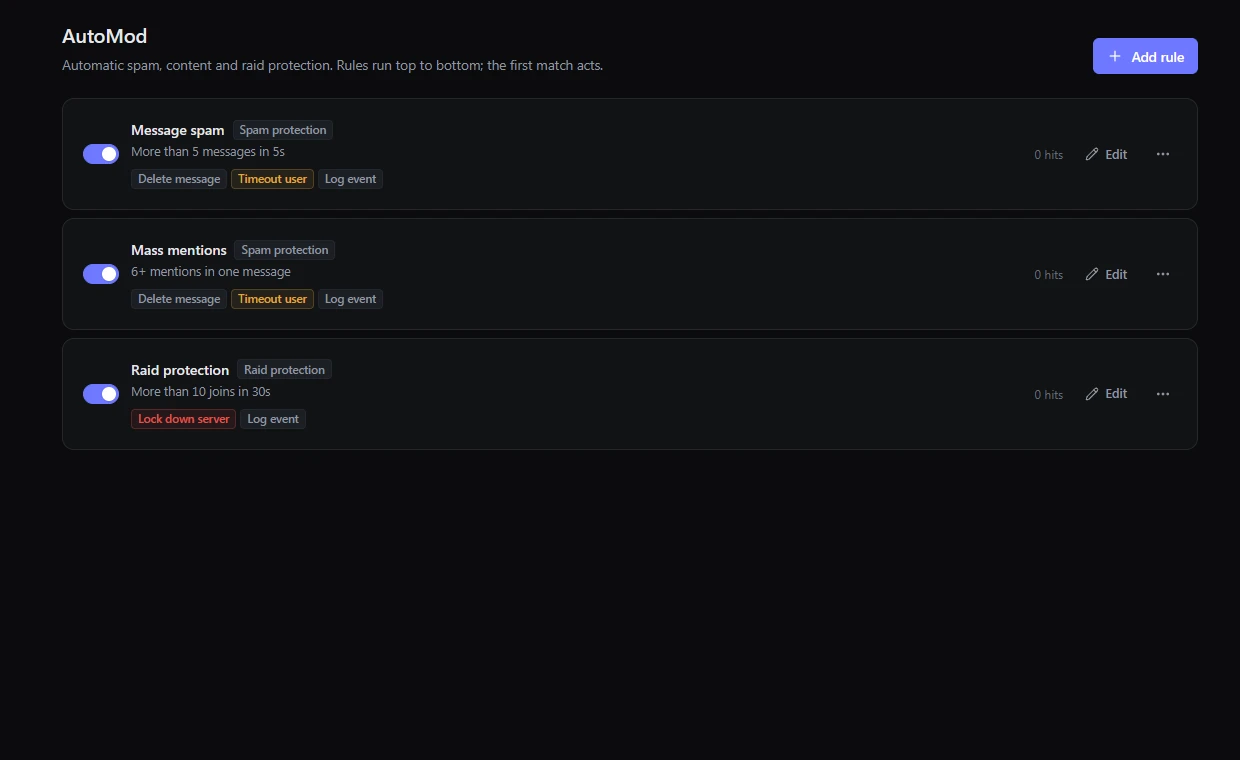
Spam and raids, handled.
Rules that watch every message and every join, and act before your moderators even see the problem.
- Spam, mass mentions, invites, links and word filters
- Join-rate lockdown and minimum account age
- Exempt roles and channels per rule
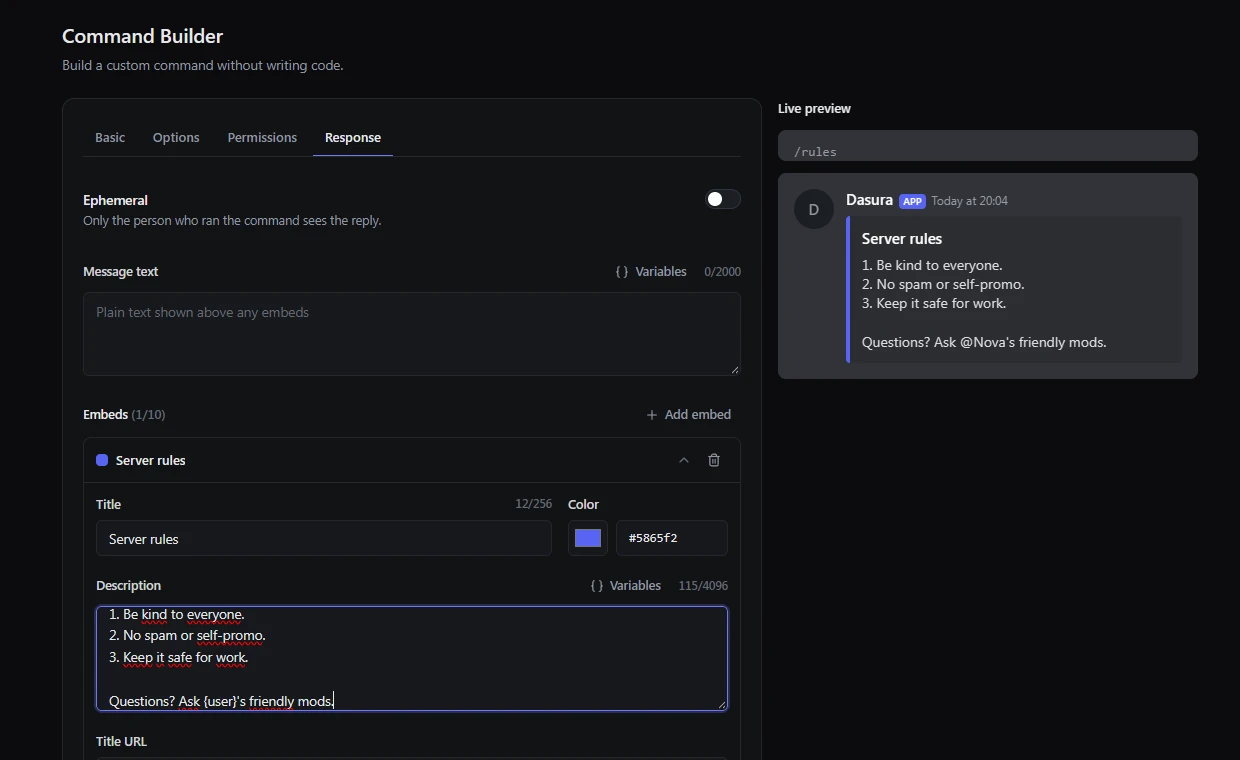
Build commands. No code.
Make slash, context-menu and prefix commands with options, embeds and buttons, and see exactly what they'll post as you type.
- Live Discord-style preview
- Variables like {user} and {memberCount}
- Choose who can use each command, and where
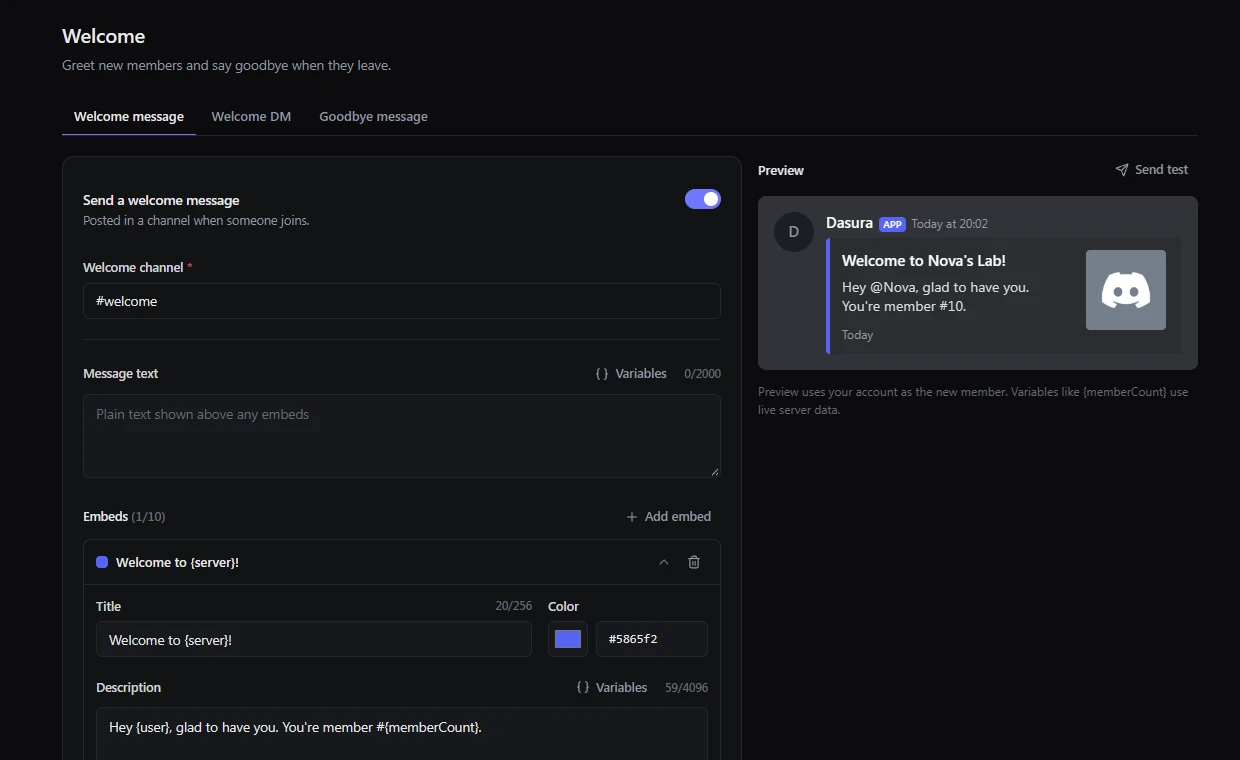
A proper hello.
Greet new members in a channel or by DM with an embed you design, and say goodbye when they leave.
- Embed builder with a preview
- Name, avatar and member count variables
- Never pings @everyone
Three steps. That's it.
- 01
Add the bot
Pick your server on Discord. It asks only for the permissions it uses.
- 02
Run the setup
Choose staff roles, a log channel and a welcome channel, or let it create the roles.
- 03
Manage from the web
Change anything, any time. The bot picks up new settings within a second.
Built to be trusted with your server.
No Administrator permission
The bot asks only for the permissions its features use.
Respects your role hierarchy
Nobody can act on or hand out more than they already have, including the bot.
Everything is logged
Settings changes and moderation actions land in an activity log you can search.
Questions
What permissions does the bot need?
Only the ones its features use: managing messages, members, roles and channels, plus reading and sending messages. It never asks for Administrator.
Who can change the settings?
Anyone with the Manage Server permission in your server. It's checked live on every request, so removing someone's permission removes their access straight away.
Does it work with my existing roles and channels?
Yes. Setup suggests your existing roles and channels, and you can change any of them. It only creates new staff roles if you ask it to.
Can I undo things?
Every setting can be changed or turned off from the dashboard, and bans, timeouts and cases can be lifted or revoked.